Monday.com and Todowa
A Monday.com alternative for your own tasks – without leaving Monday
Your team plans in Monday.com, but your own to-do list lives somewhere else. Todowa brings the two together: connect Monday.com once, pick your boards, and their items sit in Todowa next to all your other tasks – synced both ways.
Freeno credit carddata in Frankfurtdelete anytime
Start for free – add Pro anytime
Why an alternative – and why not a migration
Monday.com is built for team boards. But your work isn’t only the items on those boards: there are emails, personal errands, tasks in Todoist or Notion and events in your calendar.
So when people look for a Monday alternative, they usually don’t want a second project platform – they want one list for their own day. The team should be able to stay in Monday.com.
That’s exactly what Todowa is built for: a neutral hub that syncs with your tools instead of replacing them. You work in Todowa, your changes land on the board, and what the team changes in Monday.com comes back to you.
How to connect Monday.com to Todowa
In the settings under “Integrations”, choose Monday.com and click “Connect with Monday.com”. Sign in to Monday and allow access – no API token needed.
Then pick the boards to sync. Each board becomes a project with the same name in Todowa. For tasks you create in Todowa without a matching board, you choose a default board.
Before you switch it on, a dry run shows what Todowa would create, change and link – without writing anything. On the first sync, Todowa pulls in the open items of your boards; if the same task already exists in Todowa, it’s linked instead of duplicated. After that, sync runs in the background about once a minute.
What gets synced
Todowa detects the columns of each board on its own. If one is missing, that field is left alone.
- Item name ↔ task title
- First status column ↔ completed: done is the label Monday.com treats as finished, otherwise a label such as “Done”
- First date column, including the time ↔ due date
- First long text column ↔ description
- Board ↔ project: move a task to another project in Todowa and the item moves to the matching board – and the other way round
Monday items and personal tasks in one list
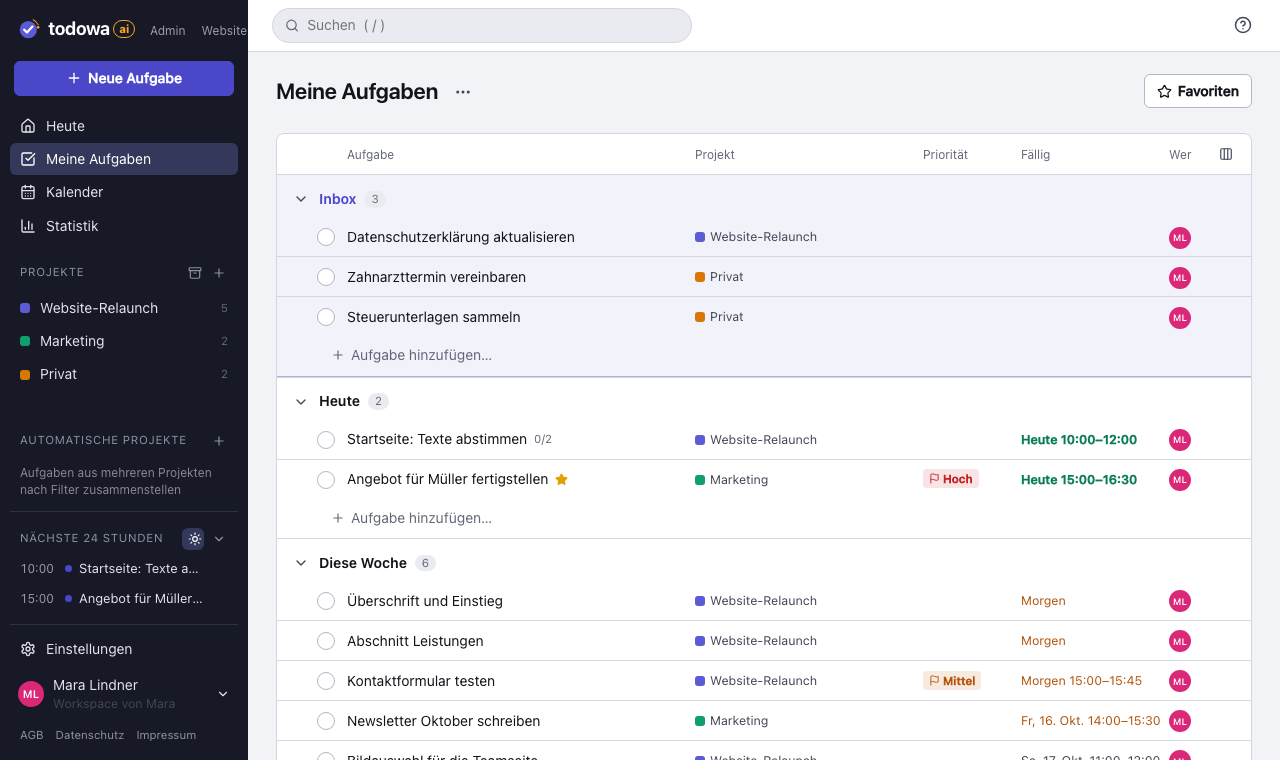
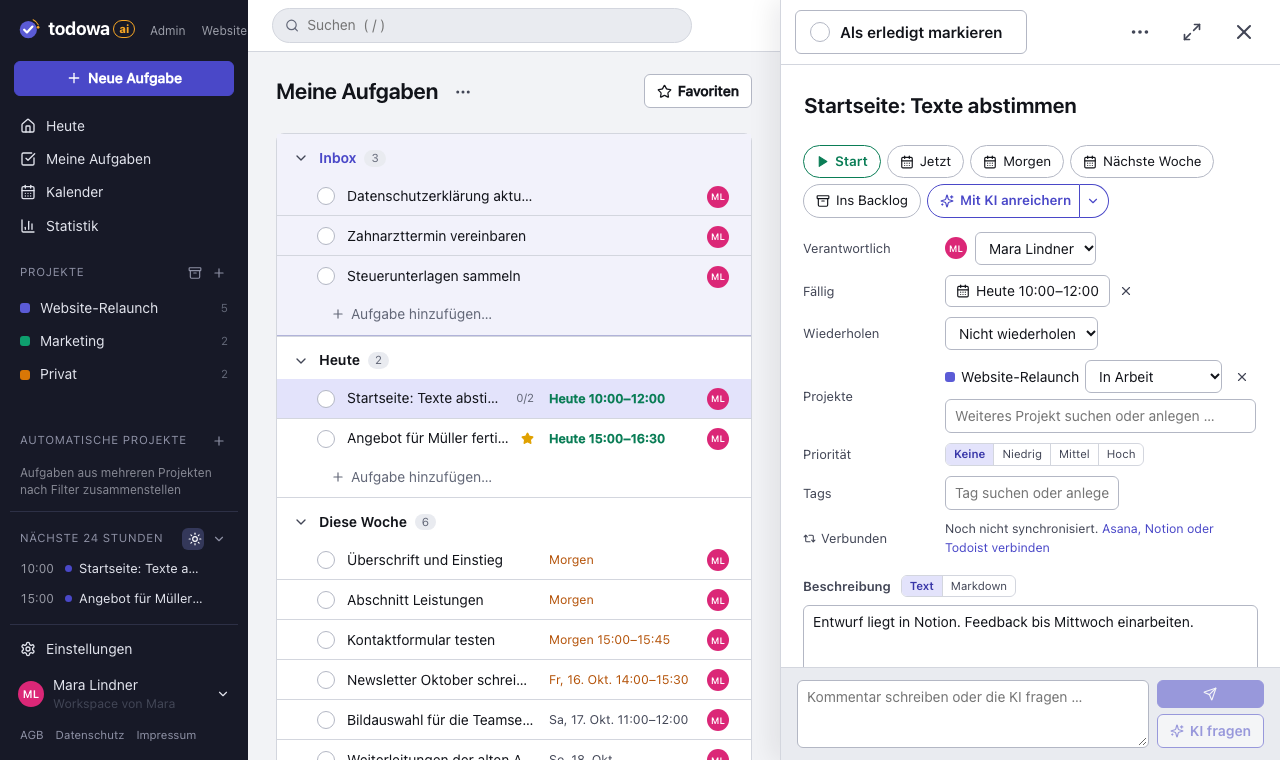
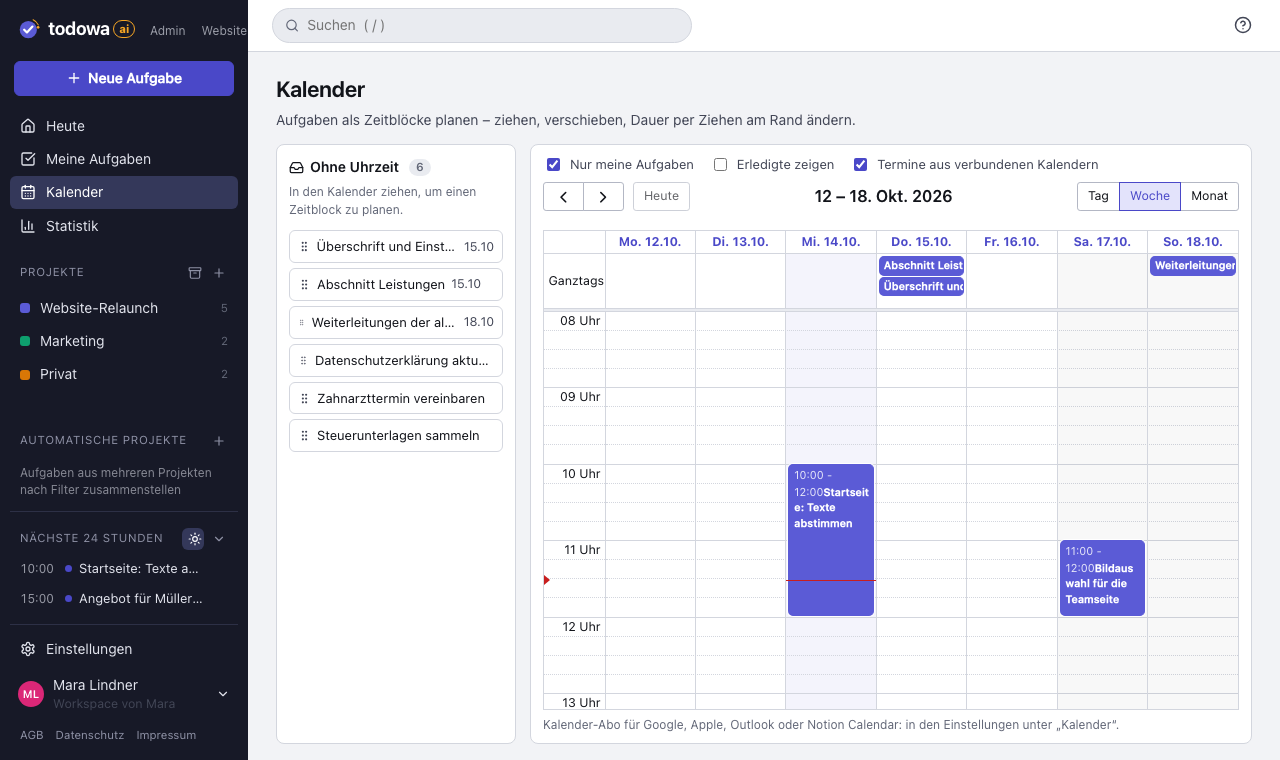
“My tasks” shows the items from your boards together with everything else: tasks from your inbox, forwarded emails, personal errands. In the weekly calendar you drag them onto a time slot and see your events right next to them.
If you also use Asana, Notion, Todoist or Google Tasks, Todowa syncs those too. An item from Monday.com can show up in your Todoist list or your Notion database without you building a single rule.
Why we’re building Todowa
Your tasks belong to you – not to your tools.
Tasks are spread across many tools, and none of them sees the whole picture. We’re building Todowa as an AI-first to-do system that fits into the ones you already use: tasks show up in your Notion database, in Asana, in Todoist and in Google Calendar, and AI matches up what belongs together.
Our goal for TodowaWhat the Monday.com sync doesn’t do
Todowa only syncs the fields listed above. Everything else stays as it is in Monday.com and doesn’t appear in Todowa:
- People and assignees, other columns (numbers, dropdowns, links …)
- Updates (comments) and subitems
- Focus and repeats from Todowa – a recurring task shows up in Monday.com as a single item
- Archived and deleted items aren’t read; the first sync only brings in open items
Frequently asked questions
Is Todowa an alternative to Monday.com?
For your own to-do list, yes: tasks, projects, board, calendar, reminders and AI. Todowa isn’t meant to replace Monday.com for your whole team – instead it syncs with Monday.com, so the team can stay there.
Do I need a Monday.com API token?
No. You connect Monday.com through your Monday account: sign in, allow access, pick your boards.
Are assignees from Monday.com synced?
No. People columns, updates and subitems stay untouched in Monday.com. Todowa syncs name, status, due date and description.
What does the sync cost?
On the free plan Todowa syncs up to 100 tasks a month; with Pro it’s unlimited. Pro costs €6 a month or €60 a year.
Can I connect Monday.com with Todoist, Notion or Google Tasks?
Through Todowa, yes. Connect Monday.com and the other tool to Todowa, and tasks are synced with both.
More about Todowa
Bring your tasks together.
Create an account, connect your tools, get going – free, add Pro anytime.
Freeno credit carddata in Frankfurtdelete anytime