Tags as quick filters
The right task for every situation – from Eat the Frog to On the go
On the bus, at your desk or on the couch in the evening, different tasks fit. In Todowa you create tags for these situations and show them as quick filters above your task list. One click, and you only see what you can do now.
Freeno credit carddata in Frankfurtdelete anytime
Start for free – add Pro anytime
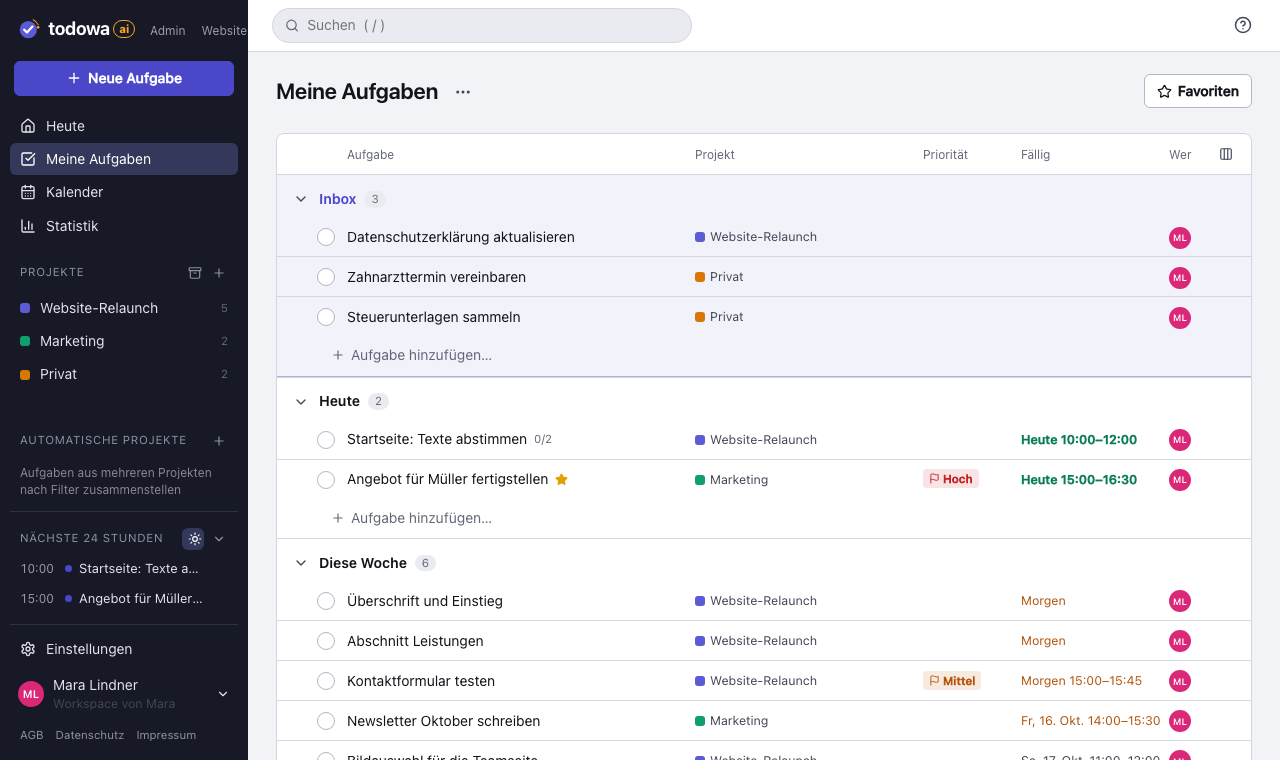
The problem: one long list for every situation
A to-do list quickly grows to thirty or forty open tasks. They’re sorted by project or due date – but not by whether you can actually do them right now.
On the bus, you can’t print a contract. Tired in the evening, you won’t write a proposal. So you scroll through the whole list, hunt for something that fits and often end up doing nothing.
The question that really matters is: what can I do here and now? That’s exactly what situation tags answer.
How it works in Todowa – step by step
You manage tags in Settings under “Tags”. Each tag gets a color and a short description so it stays clear what it stands for. To get started, there are suggestions you can add with one click.
- Create a tag or add a suggestion, e.g. “On the go” or “Eat the Frog”
- For each tag, choose where it appears as a quick filter button: in “My tasks”, in “Today”, in all projects or only in specific projects
- Add the matching tag to your tasks
- Click the button above the task list – only tasks with that tag stay visible
- Combine several buttons: Todowa then shows the tasks that have all selected tags
Examples of situation tags
Good tags don’t describe what a task is about, but what you need to get it done: a place, a tool, time or energy. These suggestions work well:
- On the go – doable on your phone, e.g. on the bus or in a waiting room
- Desk – needs a computer, printer or documents
- Calls – phone calls you work through in one go
- Errands – everything you take care of in town
- 5 minutes – small things for the gap between two meetings
- Deep focus – tasks that need quiet and a free block of time
- Low energy – easy things for tired moments
- Evening – what fits well after work
- Fun – tasks you look forward to
- Eat the Frog – the one unpleasant or important task that comes first
Using the Eat the Frog method with a tag
Eat the Frog goes back to a saying often attributed to Mark Twain: if you eat a live frog first thing in the morning, the worst part of your day is behind you. Brian Tracy made the method popular with his book “Eat That Frog!”.
The idea: do the task you’d most like to put off first – it’s usually the most important one, too. After that, the rest of the day feels lighter, and procrastination has nothing left to feed on.
In Todowa, you mark that task with the “Eat the Frog” tag and show its button in “Today”. One click in the morning, and only the frog is in front of you. It helps to mark no more than one or two frogs at a time – otherwise the filter turns back into a long list.
GTD contexts: the idea from Getting Things Done
In David Allen’s Getting Things Done (GTD) method, situation tags are called contexts. Originally they started with an “@”: @Phone, @Computer, @Errands, @Office. Every next action gets the context in which it can be done, and you only look at the list that fits where you are.
Many people now add time and energy to the classic place-based contexts – “5 minutes”, “Low energy”, “Deep focus”. With tags in Todowa you can cover both, and because filters can be combined, you can also ask: what can I do on the go in five minutes?
Why quick filters instead of more projects
The obvious idea is to create a project for each situation. That doesn’t get you far: a task belongs to a project by its content, such as “Moving house” or “Client Miller”. That you can do it on the go is a second property, not a second home.
Tags describe exactly that second property. The task stays in its project, with its due date and subtasks, and still shows up when you filter by “On the go”. Because you decide for each tag where its button appears, you only see the filters above each list that make sense there.
Why we’re building Todowa
Your tasks belong to you – not to your tools.
Tasks are spread across many tools, and none of them sees the whole picture. We’re building Todowa as an AI-first to-do system that fits into the ones you already use: tasks show up in your Notion database, in Asana, in Todoist and in Google Calendar, and AI matches up what belongs together.
Our goal for TodowaFrequently asked questions
What is the Eat the Frog method?
A method against procrastination: you do the most unpleasant or most important task first thing in the day – the “frog”. It became popular through Brian Tracy’s book “Eat That Frog!”.
What are contexts in GTD?
Contexts group tasks by where or with what you can do them, such as @Phone, @Computer or @Errands. That way, in any situation you only see the tasks that are possible there. In Todowa, you set up contexts as tags.
What happens if I select several quick filters?
Todowa then shows only the tasks that have all selected tags. “On the go” plus “5 minutes” gives you small tasks for your phone.
Where do the quick filters appear?
You decide that for each tag in Settings: above “My tasks”, above “Today”, above all projects or only above specific projects.
How many situation tags make sense?
Five to eight are usually enough. More important than the number is that each tag describes a real situation in which you’ll actually click it. The suggestions in Settings are a good start.
More about Todowa
Bring your tasks together.
Create an account, connect your tools, get going – free, add Pro anytime.
Freeno credit carddata in Frankfurtdelete anytime