Todowa in Claude
One MCP server for all your tasks
Todoist, Asana and Notion each have their own MCP server – so Claude only ever sees part of your work. Todowa brings together the tasks from all three and from Google Tasks. Connect Claude to Todowa and Claude works with everything at once: find, create, move, assign and comment on tasks.
Freeno credit carddata in Frankfurtdelete anytime
Start for free – add Pro anytime
The problem: one MCP server per tool
If you want Claude to work with your tasks, you search for “Todoist MCP”, “Asana MCP” or “Notion MCP” and set up a separate server for each tool, often with API keys you copy by hand. Then you ask “What’s due this week?” and half of it is missing: work lives in Asana, personal stuff in Todoist, the client project in Notion.
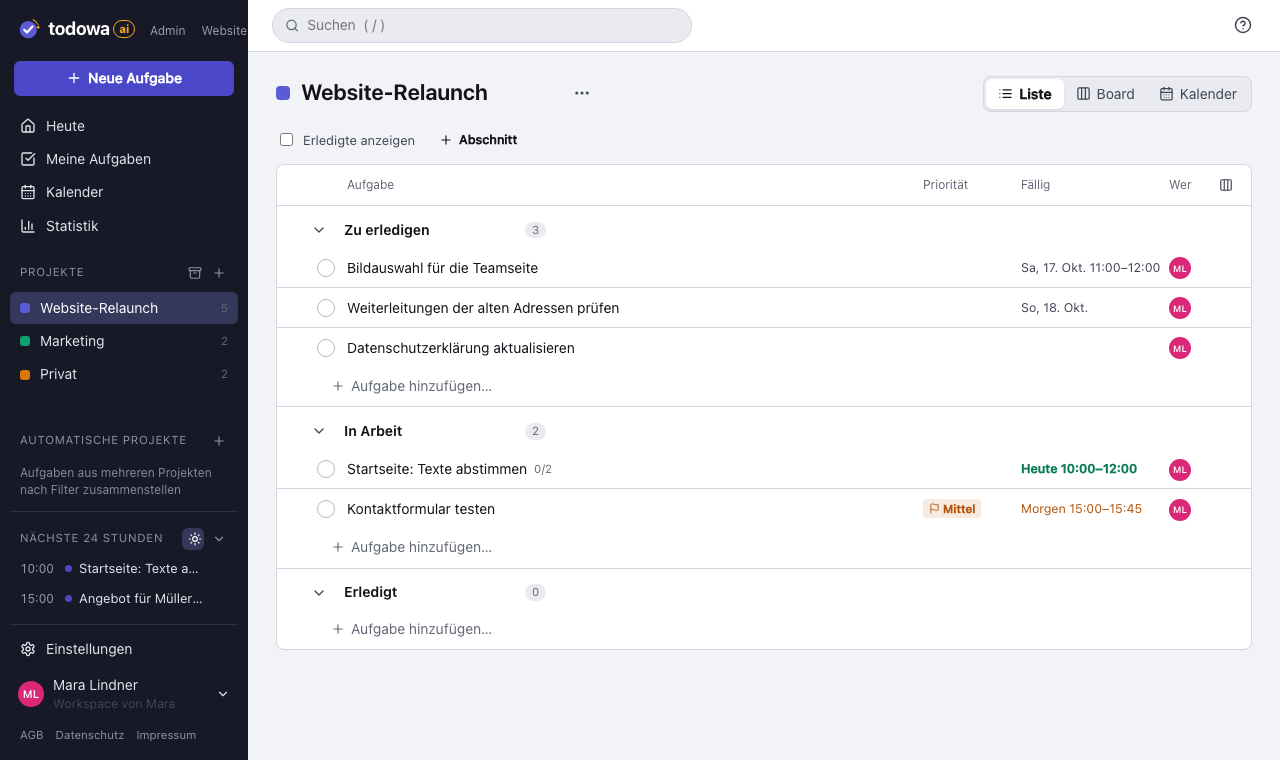
Todowa syncs these tools both ways. Through Todowa’s MCP server, Claude sees all tasks in one list – and whatever Claude changes on those tasks reaches Todoist, Asana and Notion too.
How to connect Claude – no token needed
Sign-in uses OAuth, just like “Sign in with Google”: Claude opens Todowa, you sign in and allow access. No access token to copy.
- claude.ai and Claude Desktop: Settings → Connectors → “Add custom connector”, paste https://todowa.com/mcp, “Connect”
- Claude Code: claude mcp add --transport http todowa https://todowa.com/mcp, then run /mcp and choose “Authenticate”
- Other MCP clients (Cursor, VS Code and others): same address, sign in with OAuth or with an access token from your settings
What Claude can do with Todowa
Claude works with your account’s permissions and the same building blocks you use in the app: projects and sections, tasks with due dates, priorities and subtasks, assignments and comments.
- “What’s due this week?” – tasks from all connected tools at once
- “Turn these notes into tasks in the Relaunch project and assign them to Anna”
- “Move everything overdue to next week” or “What did Tom comment on that task?”
- Create projects with your own sections, move tasks between sections, complete them
Secure and easy to disconnect
Claude gets an access token that’s valid for one hour and renews itself. Claude never sees a password and gets no access to the admin area or to managing access tokens. Under Settings → Security → API access the connection is listed by name; one click disconnects it.
Todowa stores your data on servers in Frankfurt, Germany. What Claude does with the tasks it reads through the MCP server is governed by the terms of Anthropic or of the MCP client you connect.
Why we’re building Todowa
Your tasks belong to you – not to your tools.
Tasks are spread across many tools, and none of them sees the whole picture. We’re building Todowa as an AI-first to-do system that fits into the ones you already use: tasks show up in your Notion database, in Asana, in Todoist and in Google Calendar, and AI matches up what belongs together.
Our goal for TodowaFrequently asked questions
What is an MCP server?
MCP (Model Context Protocol) is an open standard that lets AI assistants like Claude work with other apps. An MCP server provides tools – in Todowa’s case, for example, “create task” or “list tasks”.
Do I need an access token?
No. Claude, Claude Code and other current MCP clients sign in with OAuth: you sign in to Todowa and allow access. For apps without OAuth, access tokens are still available under Settings → Security → API access.
Does it work with my tasks from Todoist, Asana and Notion?
Yes, once you connect those tools in Todowa. Todowa syncs them both ways; whatever Claude changes on those tasks through Todowa also lands in the original tool.
What does the MCP server cost?
The MCP server is included in every plan, the free one too.
More about Todowa
Bring your tasks together.
Create an account, connect your tools, get going – free, add Pro anytime.
Freeno credit carddata in Frankfurtdelete anytime